Configurable Linux system
Apps run directly on the computer inside the adapter. Software adapts the device’s function to each use case.
Make your vehicle part of a connected world. The OTP Adapter connects it to the internet and provides data for your digital services, from trip logging to maintenance.
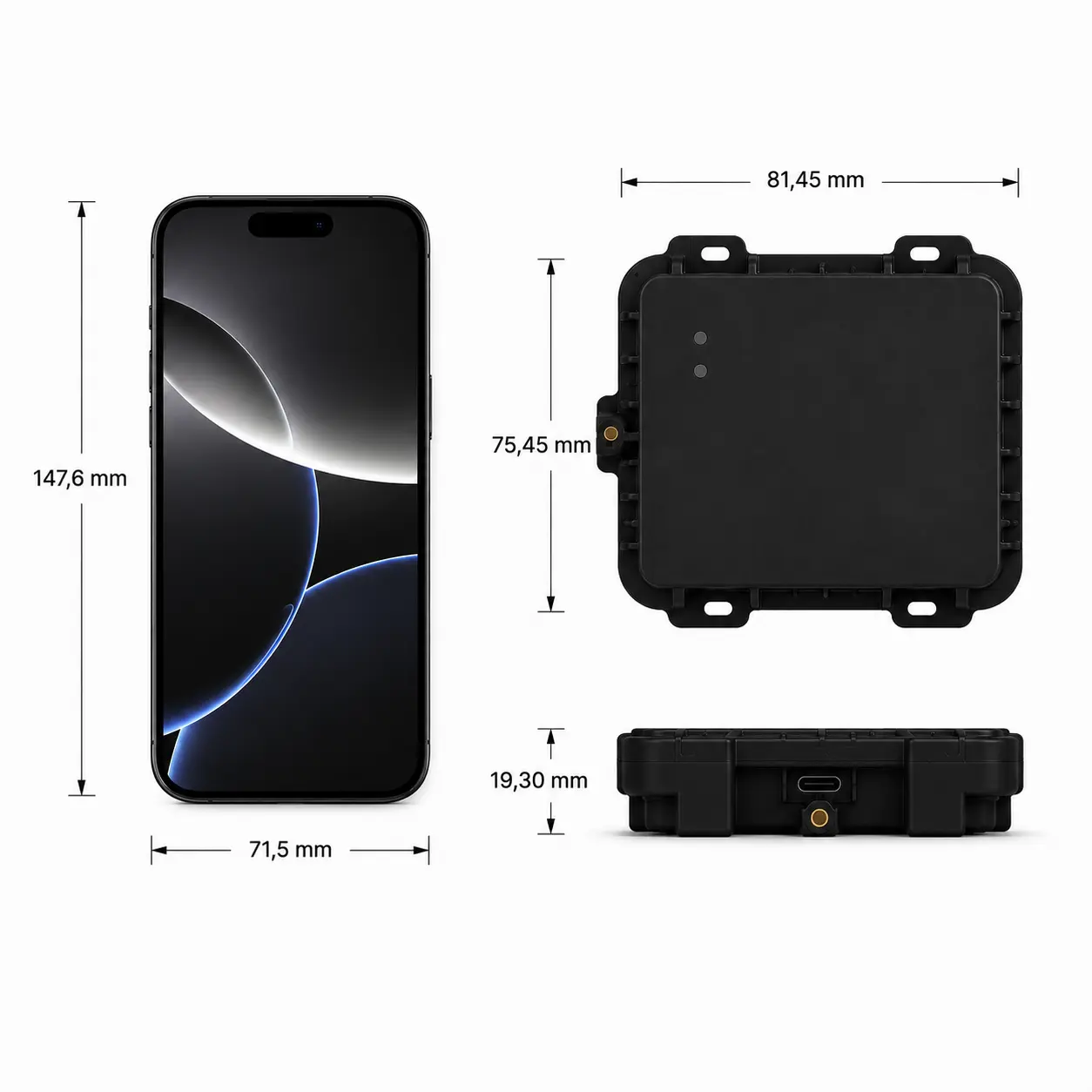
The adapter collects positions and available vehicle data, processes them and sends them to the right service. Its tasks can be adapted through applications and their settings.
Apps run directly on the computer inside the adapter. Software adapts the device’s function to each use case.
An app’s configuration defines which available data it collects and how it processes it. A trip log needs different data from a maintenance application.
Position data and other adapter data can be combined with information from the vehicle to provide the data each application needs.
Hardware reference: iWave Telematics Connect Hub G62H (iW-RainboW-G62H). The manufacturer specifications below describe the hardware family; the OTP adapter’s configuration depends on the variant and project.
Sources: iWave product page and G62H datasheet REL1.3. Manufacturer specifications checked on 30 September 2026.
iWave product pageManufacturer datasheet (PDF)OBD2 provides standardised diagnostic and operating data. Through the CAN bus, OTP can also access manufacturer-specific data. Available signals depend on the vehicle model, interface and integration.
Standardised data from the supported vehicle provides a common starting point.
Additional information from the CAN bus for applications that need more than standard values.
For each project, we first establish which vehicles will be connected and which data the application needs.
The adapter brings vehicle and device data together. Each app processes the data according to its configuration and sends it to the cloud service associated with that application.
The hardware stays the same. An app configuration defines which data is collected, when the app runs and where results go. These three examples show the principle.
Illustrative JSON examples, not a production OTP configuration format. Field names, intervals and rules explain the concept and are defined for each specific app.
In this example, the app records a position every 5 seconds during a trip. It batches the points and sends them to the trip-log cloud every 60 seconds.
Result: A trip can be reconstructed from timestamps and position points.
{
  "app": "trip-log",
  "active_when": "trip_in_progress",
  "collect": {
    "source": "gnss",
    "fields": [
      "timestamp",
      "latitude",
      "longitude"
    ],
    "every_seconds": 5
  },
  "send": {
    "every_seconds": 60,
    "destination": "https://trips.example.com/events"
  }
}In this example, the maintenance app reads available values from a vehicle-specific CAN profile every minute. It sends the collected values to the maintenance service every 5 minutes.
Requirement: The CAN profile maps signals to the correct measurements. Temperature and operating hours are not available on every vehicle.
{
  "app": "maintenance",
  "active_when": "ignition_on",
  "collect": {
    "source": "can",
    "vehicle_profile": "project-specific",
    "signals": [
      "coolant_temperature",
      "engine_hours"
    ],
    "every_seconds": 60
  },
  "send": {
    "every_seconds": 300,
    "destination": "https://service.example.com/events"
  }
}In this example, the app runs while the vehicle is parked with monitoring enabled. When it detects movement, it sends an event and an available position to the associated alert service.
Events instead of continuous transmission: Trigger thresholds and the parked state are configured for the intended use.
{
  "app": "movement-alert",
  "active_when": "parked_and_armed",
  "trigger": {
    "source": "motion_sensor",
    "event": "movement_detected"
  },
  "collect": {
    "source": "gnss",
    "fields": [
      "timestamp",
      "latitude",
      "longitude"
    ],
    "when": "position_available"
  },
  "send": {
    "when": "event_detected",
    "destination": "https://alerts.example.com/events"
  }
}First, the vehicle, data sources and rules are agreed. The app and configuration are then assigned to the adapter through the OTP backend. Each application has its own cloud destination. The endpoints in the examples are placeholders.
The OTP Backend manages adapters, the applications on each device and their configurations. The idea is an app store for vehicles: choose applications, configure them and run them together on one device.
How the platform worksLet’s discuss your application, the vehicle data it needs and the cloud where that data should arrive.